Using Kakobuy, step by step
Follow the complete official buying sequence, then use the article references below to understand order statuses, forwarding and manual requests.
The official buying sequence
Eight steps, with the original screens.
Sequence checked against the official guide on 15 October 2026. These are older interface examples: prices, balances, coupons, routes and legacy labels are illustrative. Current product, order and parcel screens govern. Every image opens at full size.
Read the official buying guide ↗Find the product
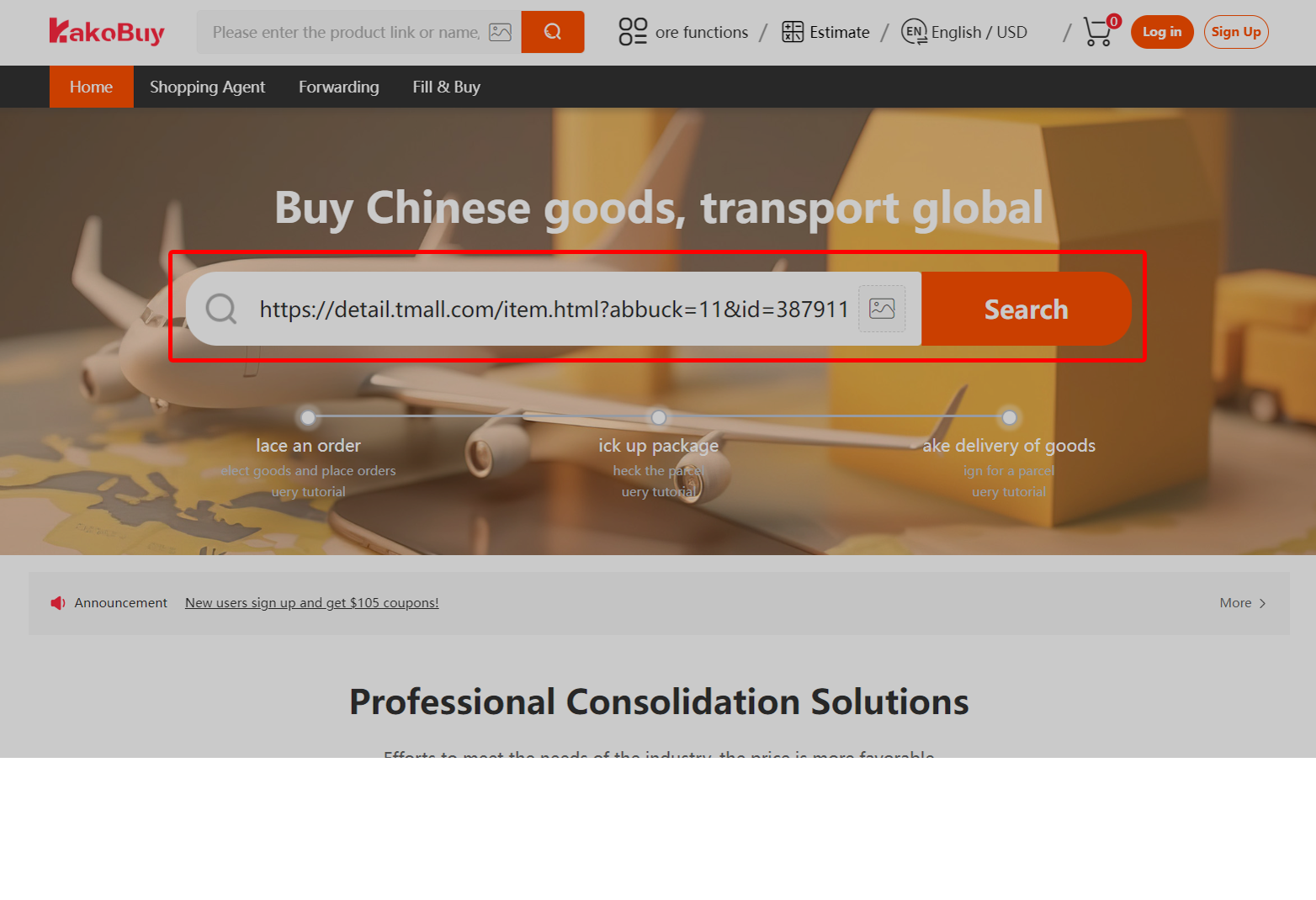
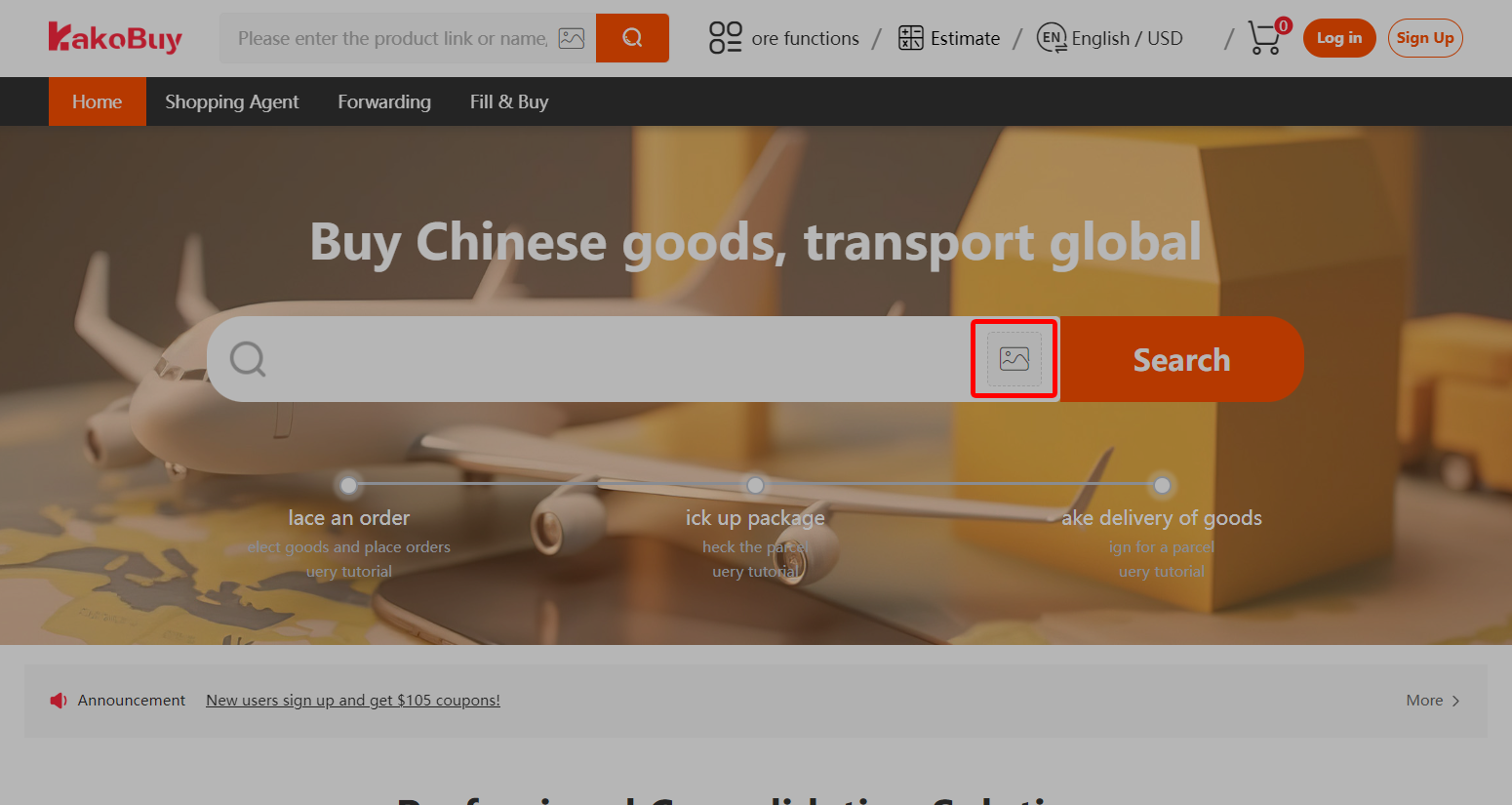
Copy a marketplace link, search with an image or type a keyword. These are discovery methods; compare the imported product with the listing you intended.
Choosing sellers and items →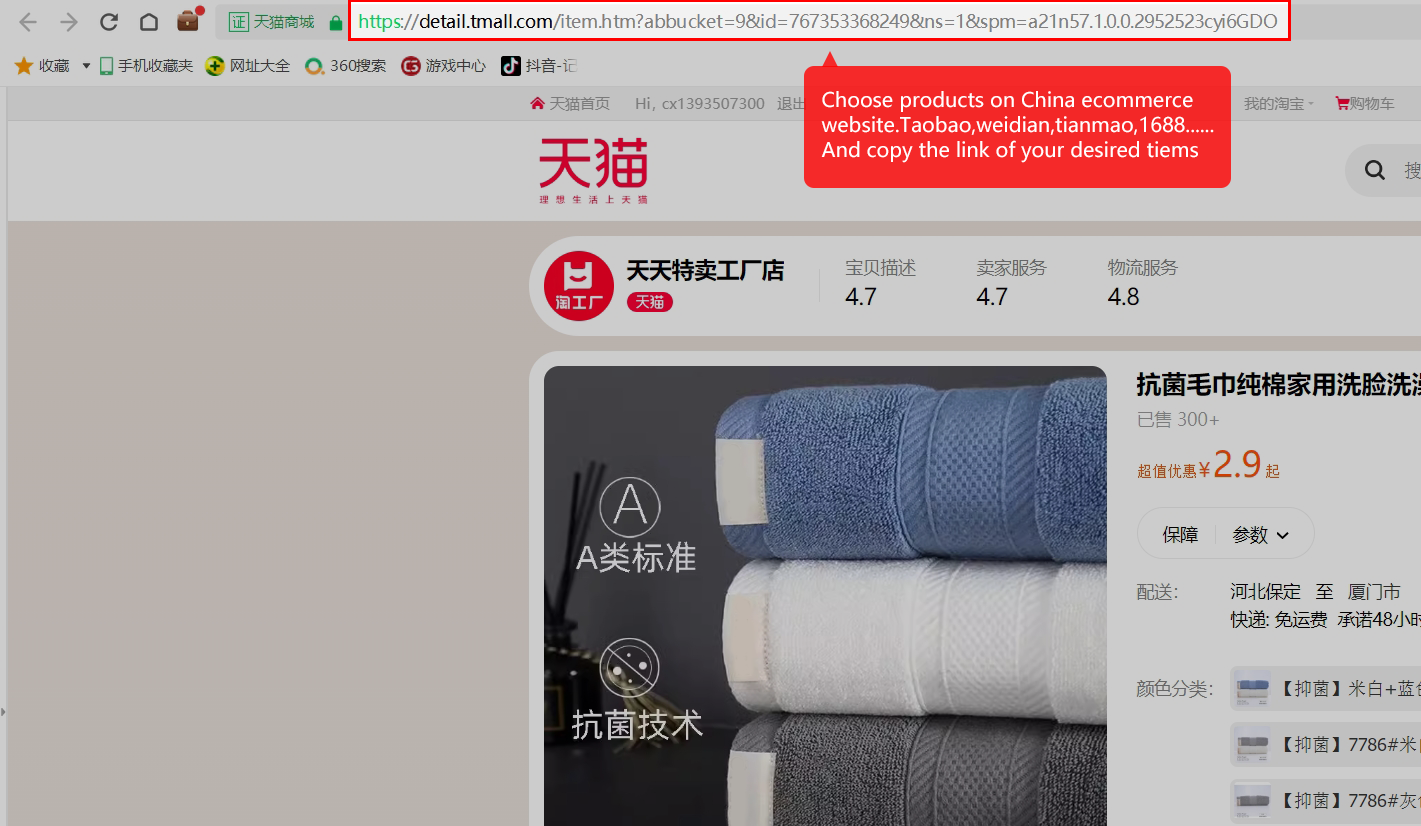
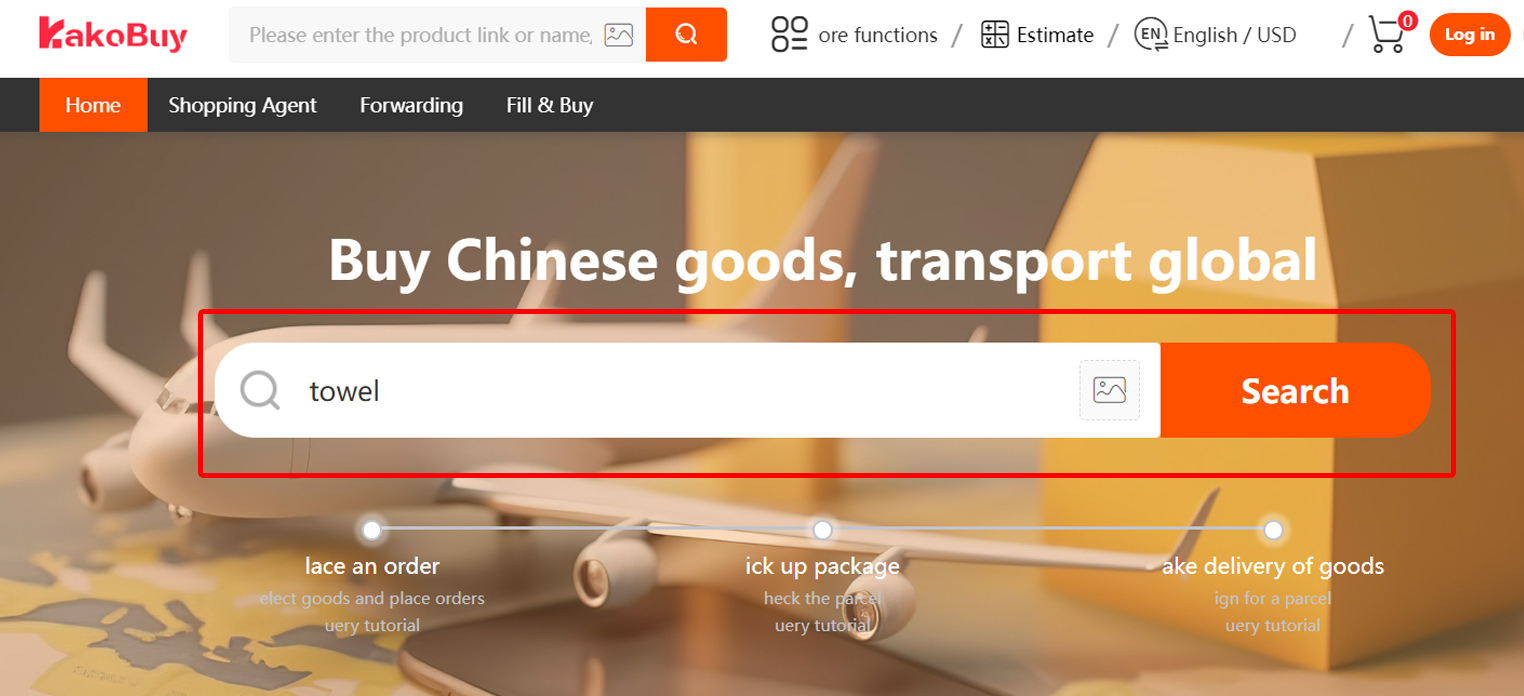
Submit the buying request
Select the size, colour and quantity. If a link cannot import, provide the details in Fill & Buy and read the form’s disclaimer. Save the exact variant and any seller promise.
Manual forms and unsupported links →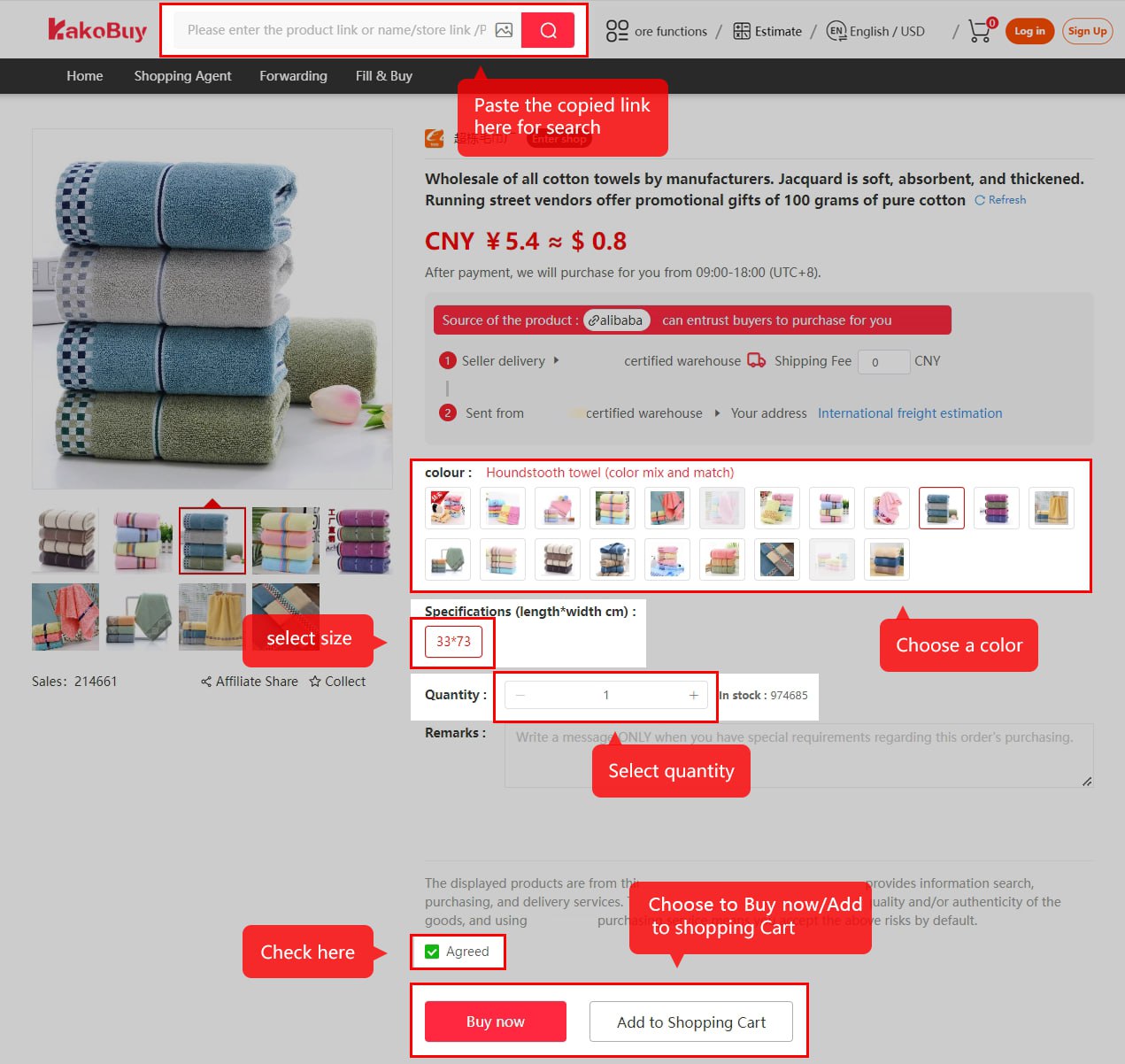
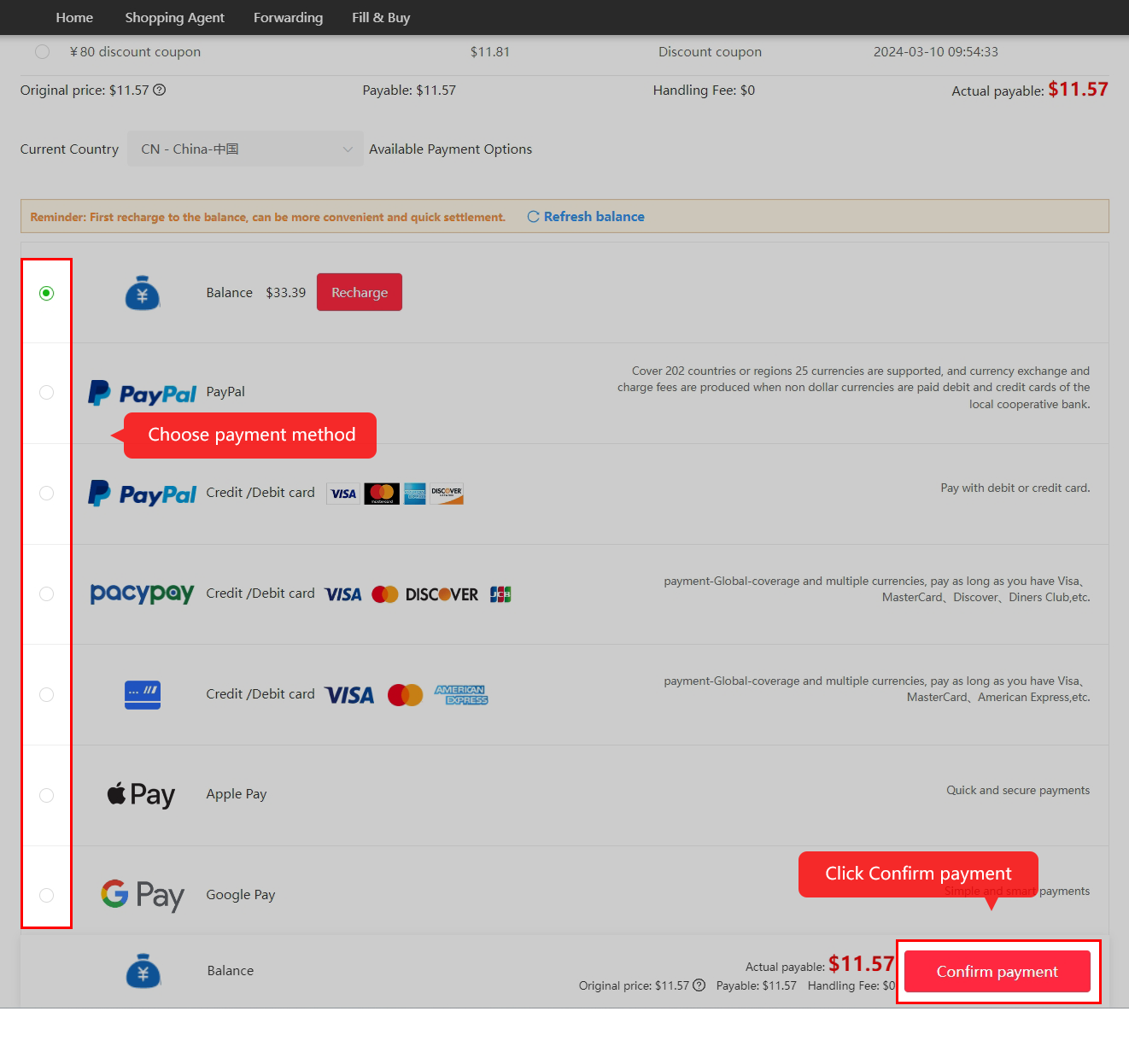
Pay for the item
The first payment covers goods and domestic delivery. Read the actual debit, conversion and handling charge; the help pages contain conflicting PayPal percentages.
Payment handling references →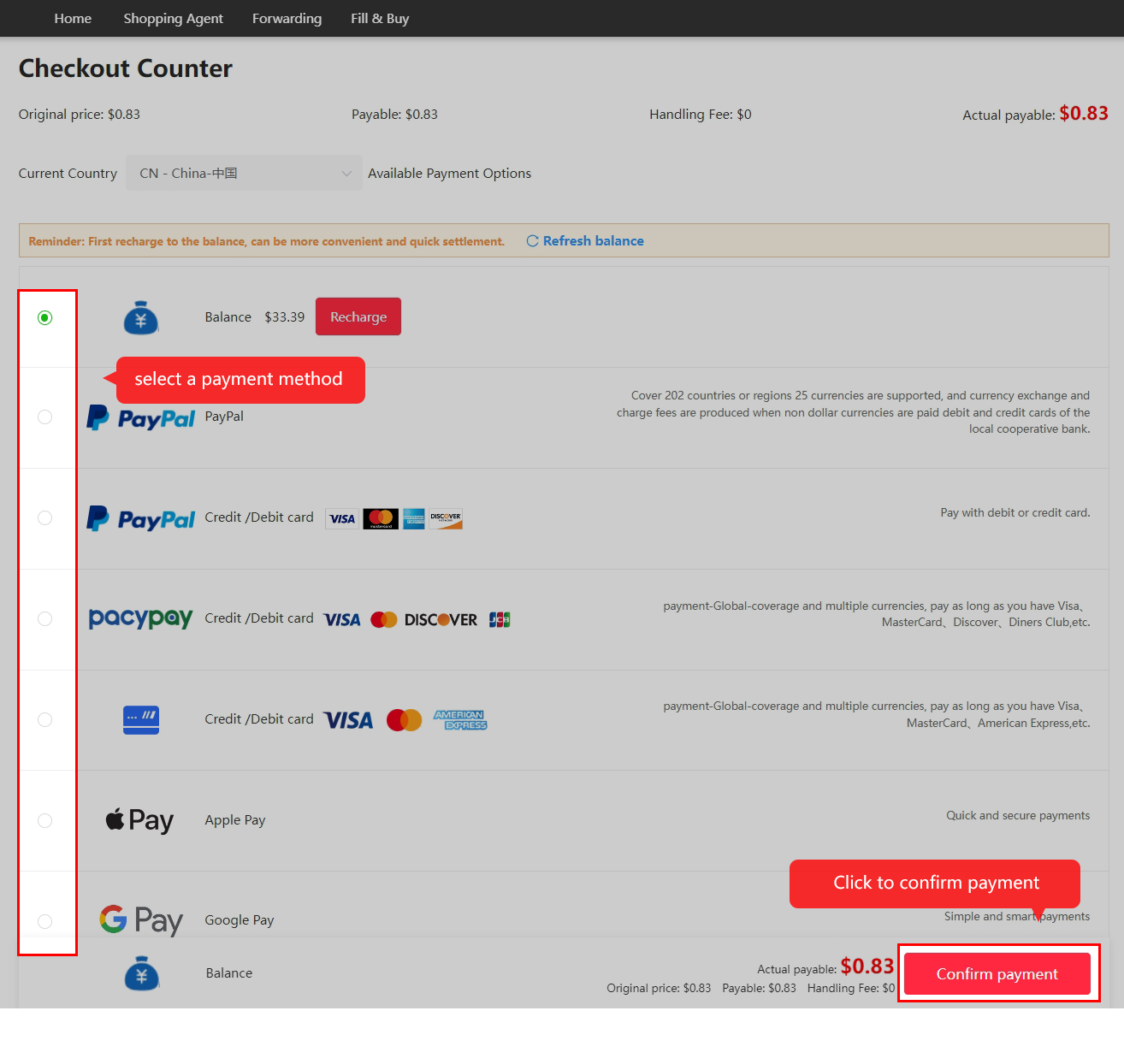
Wait for purchasing and dispatch
The buyer reviews the request and the seller sends the goods. Check messages and the order’s actual status. Historical tutorial timings do not guarantee processing or dispatch.
Read the order status →
Inspect the stored goods
Compare the received item with your order and ask for specific evidence while a remedy is still available. Visual inspection does not certify authenticity or electronics performance.
Inspection scope and extra photos →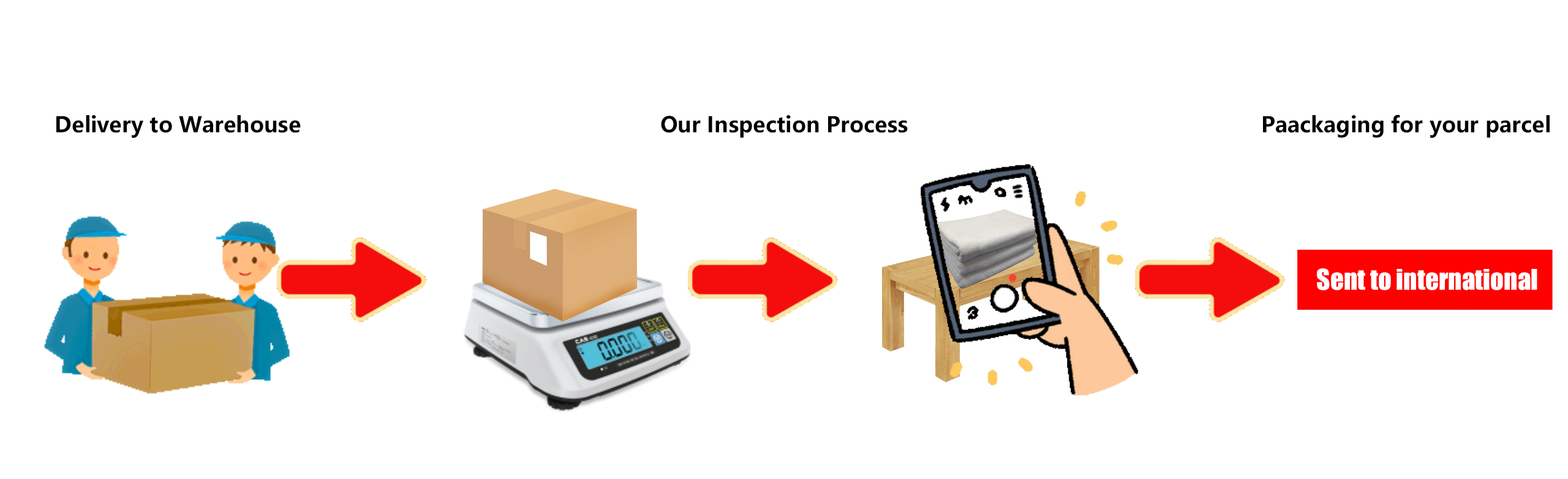
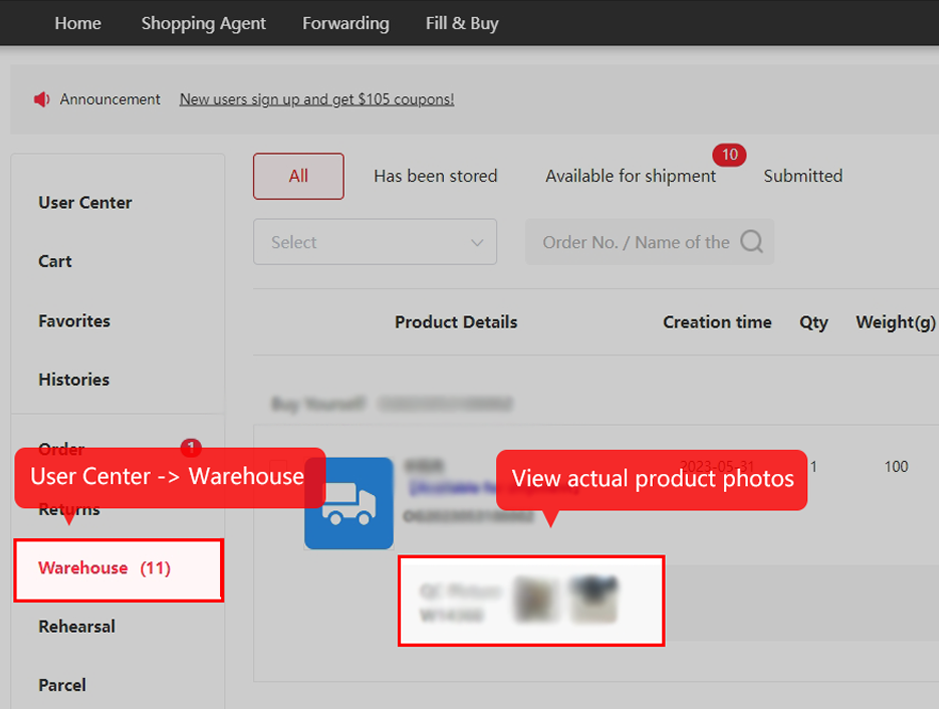
Prepare and pay for shipment
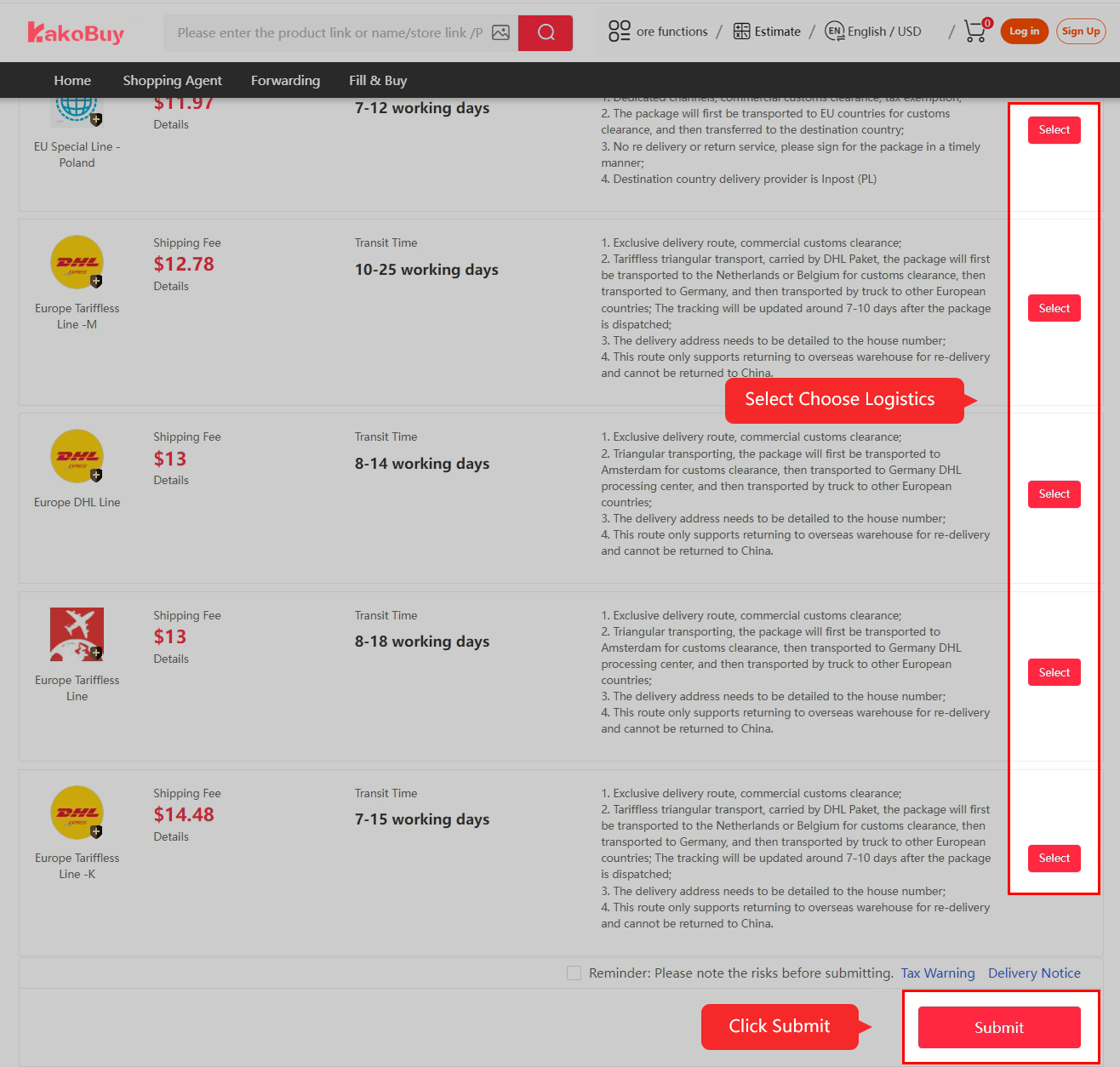
Select stored goods, enter the delivery details, choose packing and an eligible line, then review the international freight payment. Compare the line’s own chargeable-weight rules.
Shipping and customs references →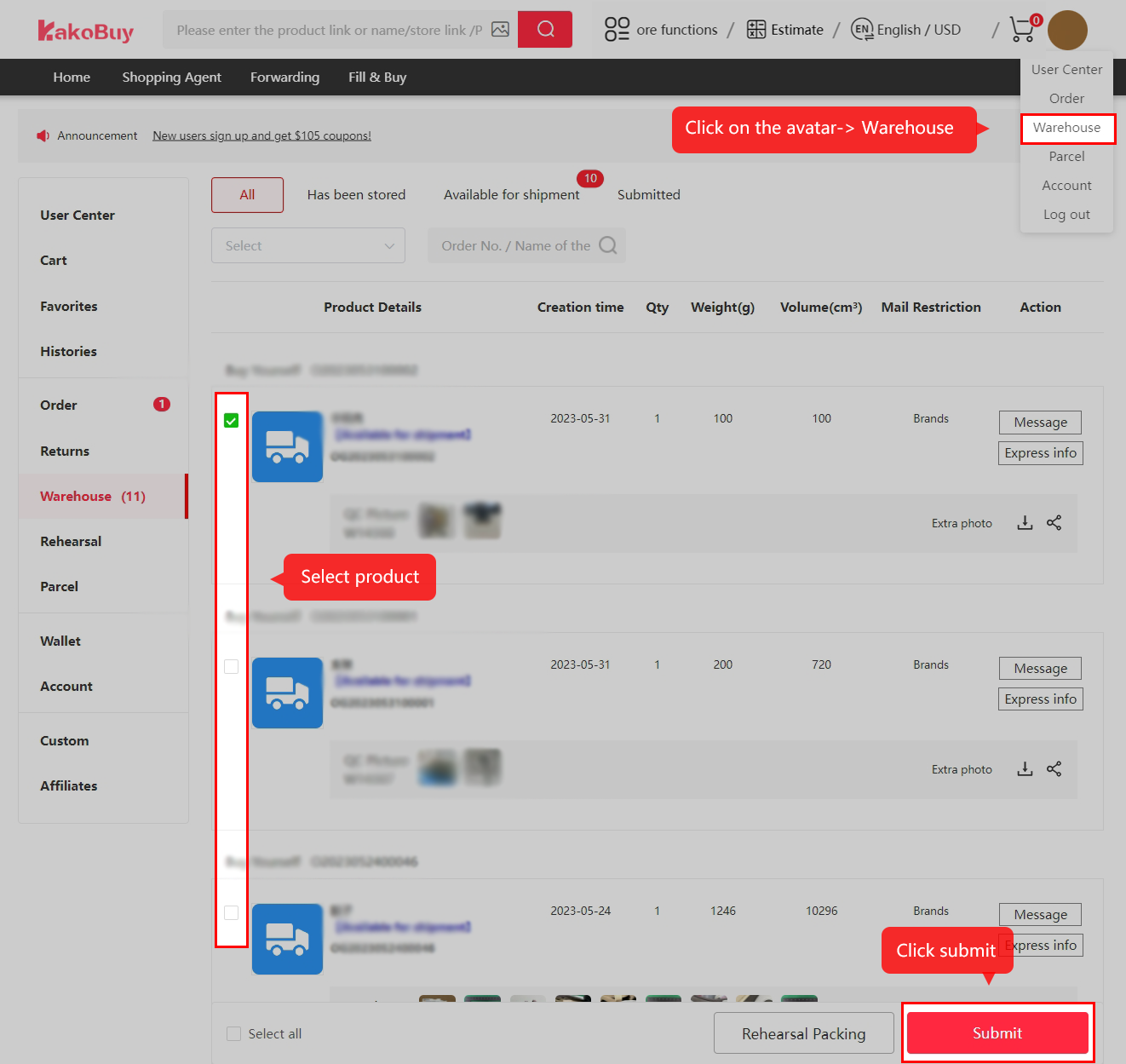
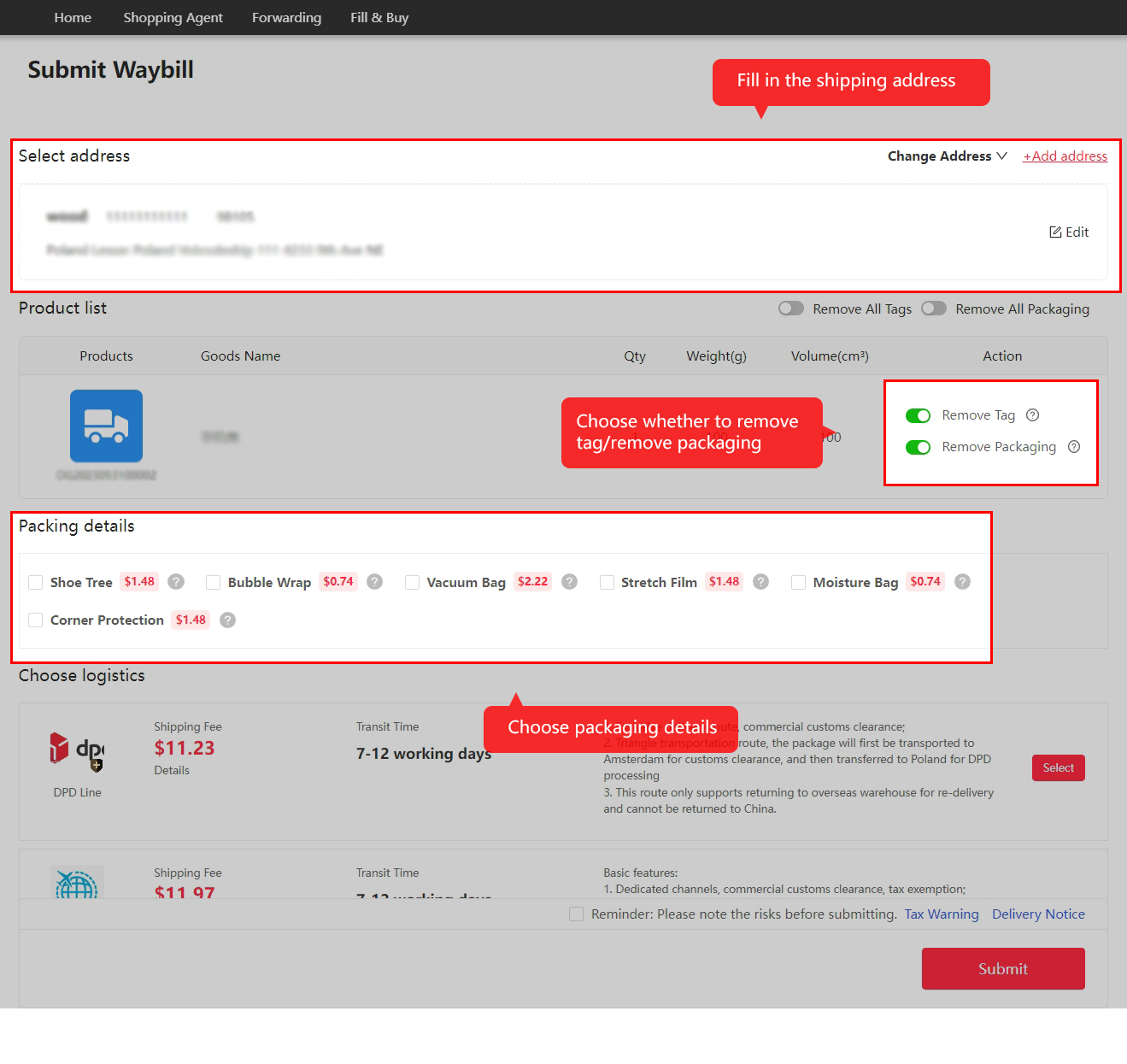
Follow the outbound parcel
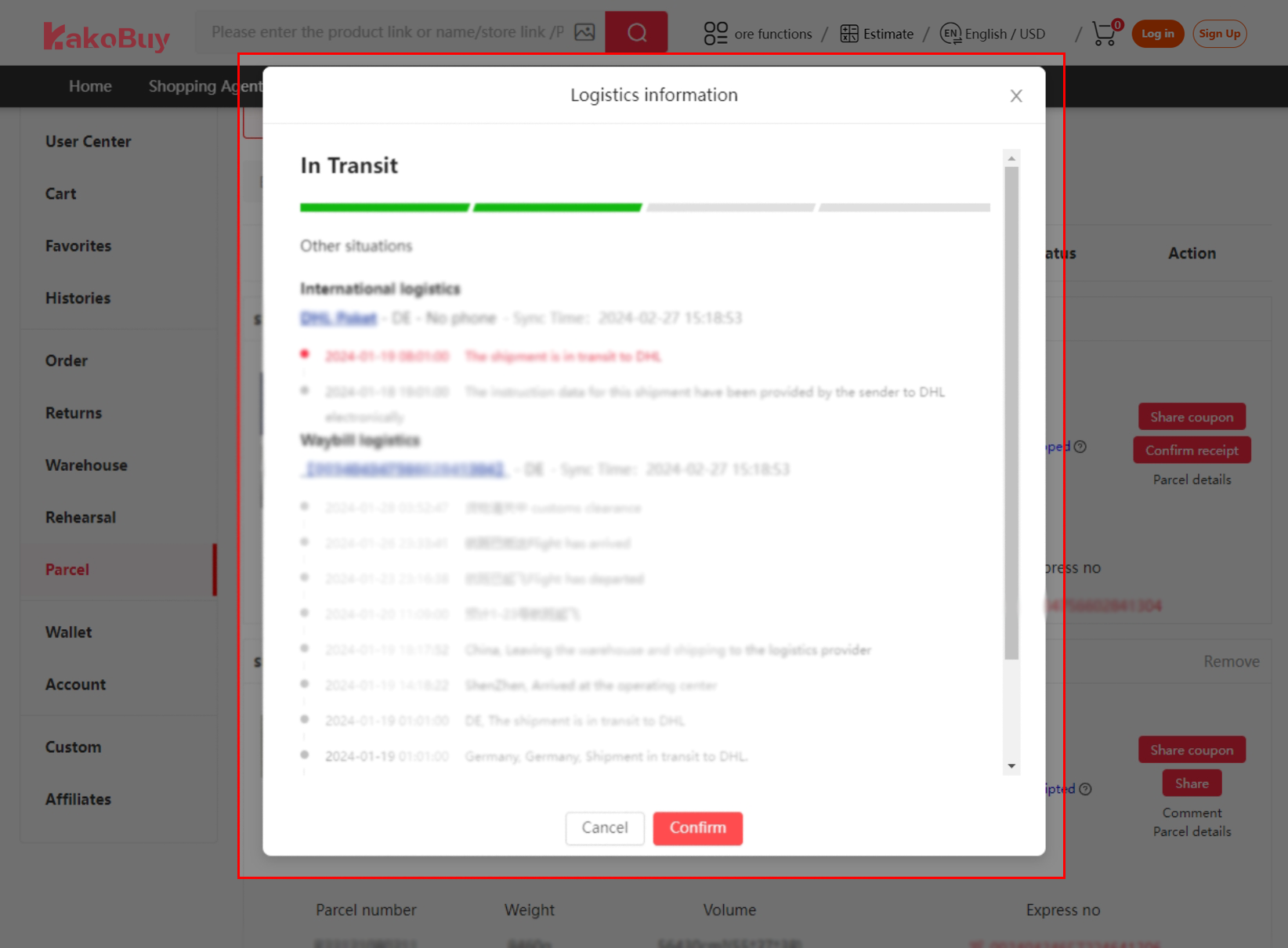
Packing and handover lead to the international and local-carrier stages. Keep the parcel number. A quiet tracking interval alone does not establish loss.
Tracking and support →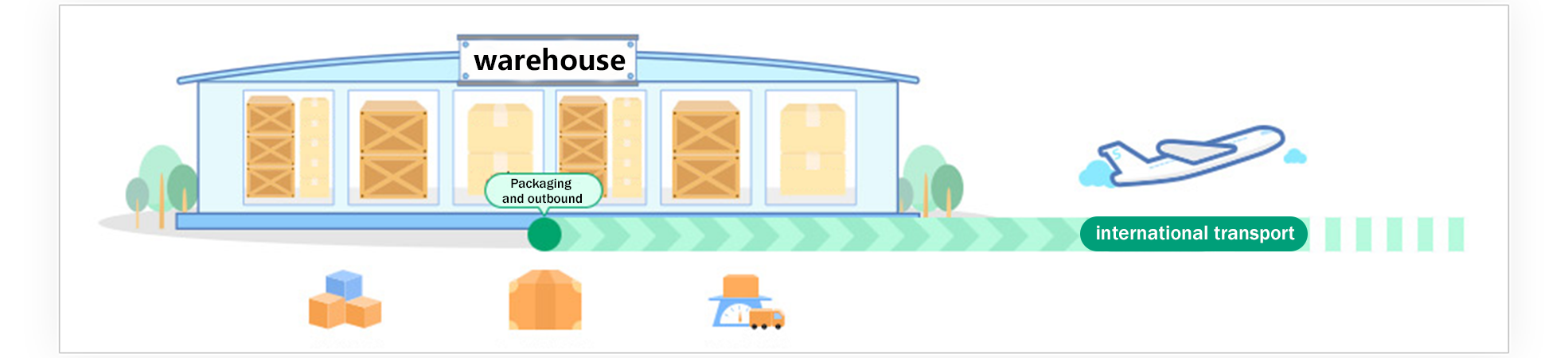
Inspect delivery and confirm receipt
Check the parcel and contents before confirming receipt. Retain packaging and original photos if something is wrong, then contact the appropriate official channel promptly.
After-sales conditions →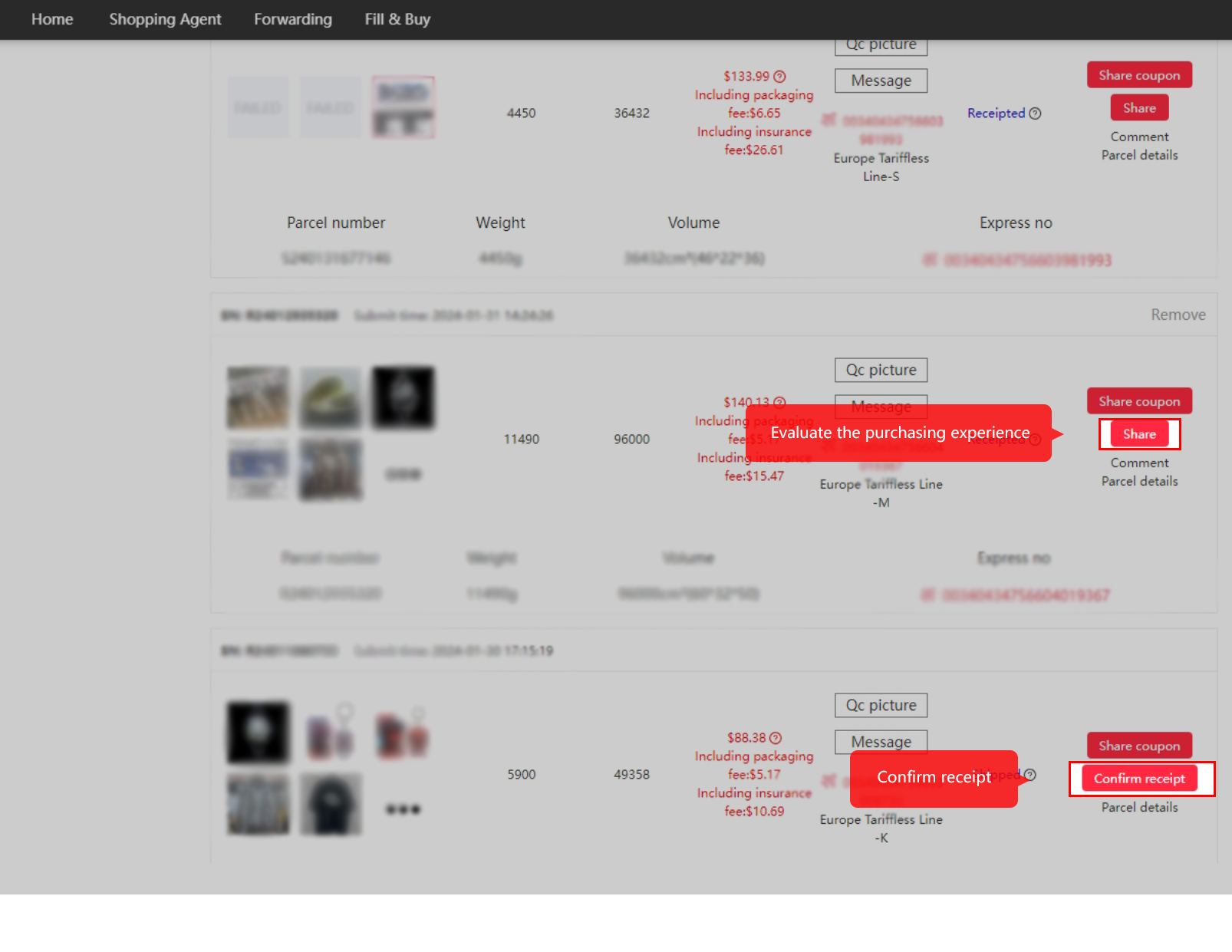
What Kakobuy is, in its own words
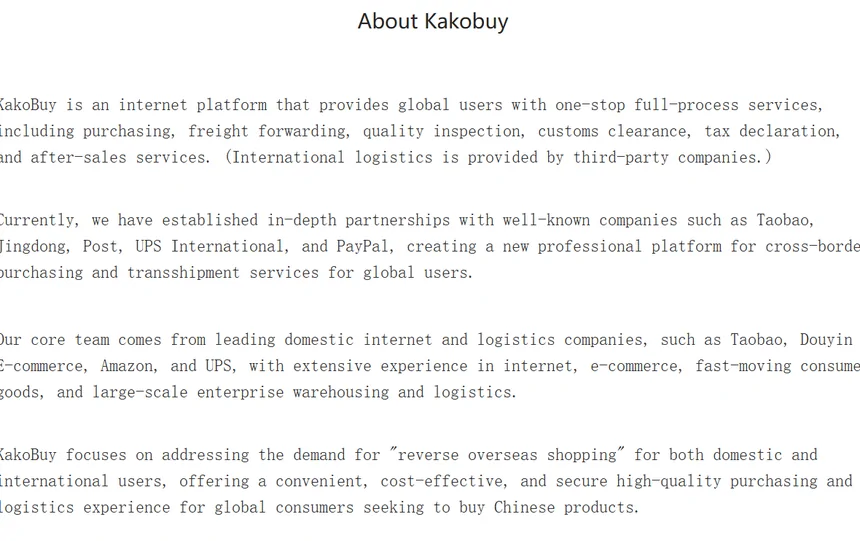
Kakobuy is a shopping agent: a company in China that buys from Chinese online shops on your behalf, receives the goods in its warehouse, checks them and ships them abroad. Help 47 puts it plainly: “you need someone else to buy something on behalf of you and deliver it to you”.
The About page describes a “one-stop full-process” service covering purchasing, freight forwarding, inspection, customs clearance and after-sales, and adds in brackets that international logistics is provided by third-party companies. That bracket matters later: help 113 says Kakobuy is not responsible for loss in transit by those third parties.
The company details printed on the About and Contact pages are EVERYDAY GO INC, with a Denver address, and ANXIN SHOPPING CO., LTD, a UK company with number 16947583. The help centre itself never names either.
Filed by Kakobuy under Types of services › Shopping Agent Service · help 47
Purchase service or forwarding: which one you are using
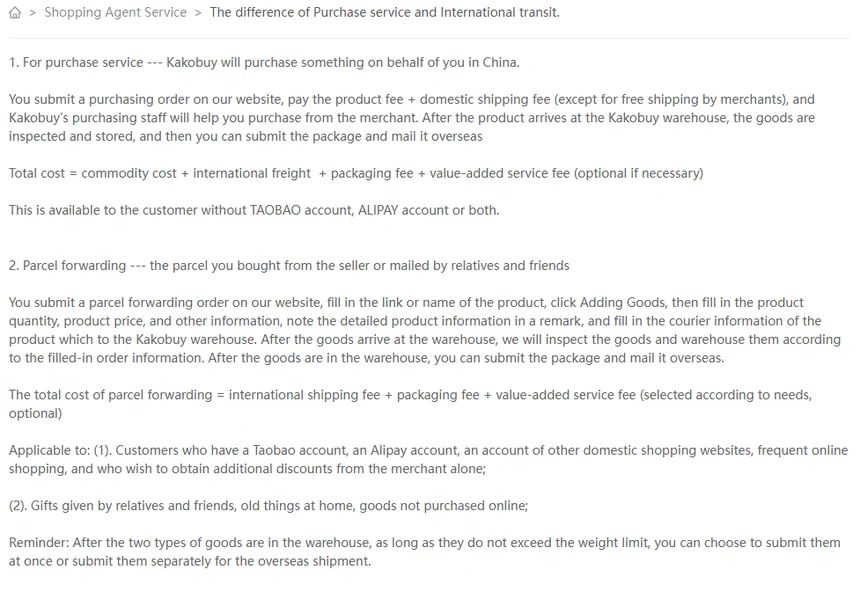
Help 85 separates the two. With the purchase service, Kakobuy buys the item: you pay item price plus domestic shipping, and the total cost is commodity cost, international freight, packaging fee and any extras. With forwarding (also called international transit or consolidation), you buy the item yourself and send it to Kakobuy’s address; you pay only freight, the packing fee and extras.
The difference shows up in after-sales. On forwarded goods, inspection only covers what you declare in the order (help 95), compensation for warehouse loss needs your own proof of purchase and stops at 5,000 yuan per order (help 112), and a parcel that arrives before you fill in the form is held as a special case and destroyed after 60 days if nobody claims it (help 96). Kakobuy matches those unclaimed parcels at 09:00 and 15:00 each day.
Filed by Kakobuy under Types of services › Shopping Agent Service · help 85, help 95, help 96
Order statuses and what each one still allows
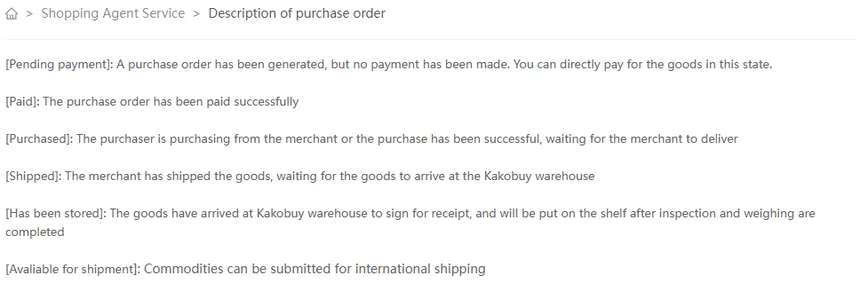
Help 80 lists six statuses: Pending payment, Paid, Purchased, Shipped, Has been stored, Available for shipment. The help centre uses other names elsewhere for the same moments, which makes the cancellation rules harder to match up. Help 87 speaks of [Processing], [Mailed] and [Warehouse]; help 84 calls the stored state “ARRIVED” and the shippable one “Can submit the waybill”; help 51 uses “Stocked in”; help 120 uses “Ready for Shipping”.
Read them as one ladder. Before the seller ships, ask what cancellation or amendment remains possible at the actual status; the request is not the same as a confirmed cancellation. Once Shipped, a change waits for the warehouse and you pay the return leg (help 78). From Has been stored, review the separate storage and seller-remedy rules. Help 51 describes an eligible five-day request; help 87 separately gives 14 days for a warehouse exchange. Confirm the applicable provision rather than assigning one deadline to every order.
Seller dispatch times from help 81: Taobao 3 to 7 days; JD self-operated the same day, other JD sellers 3 to 5 days. Arrival from help 82: about 1, 3 or 7 working days depending on region.
Filed by Kakobuy under Types of services › Shopping Agent Service · help 80, help 87, help 84
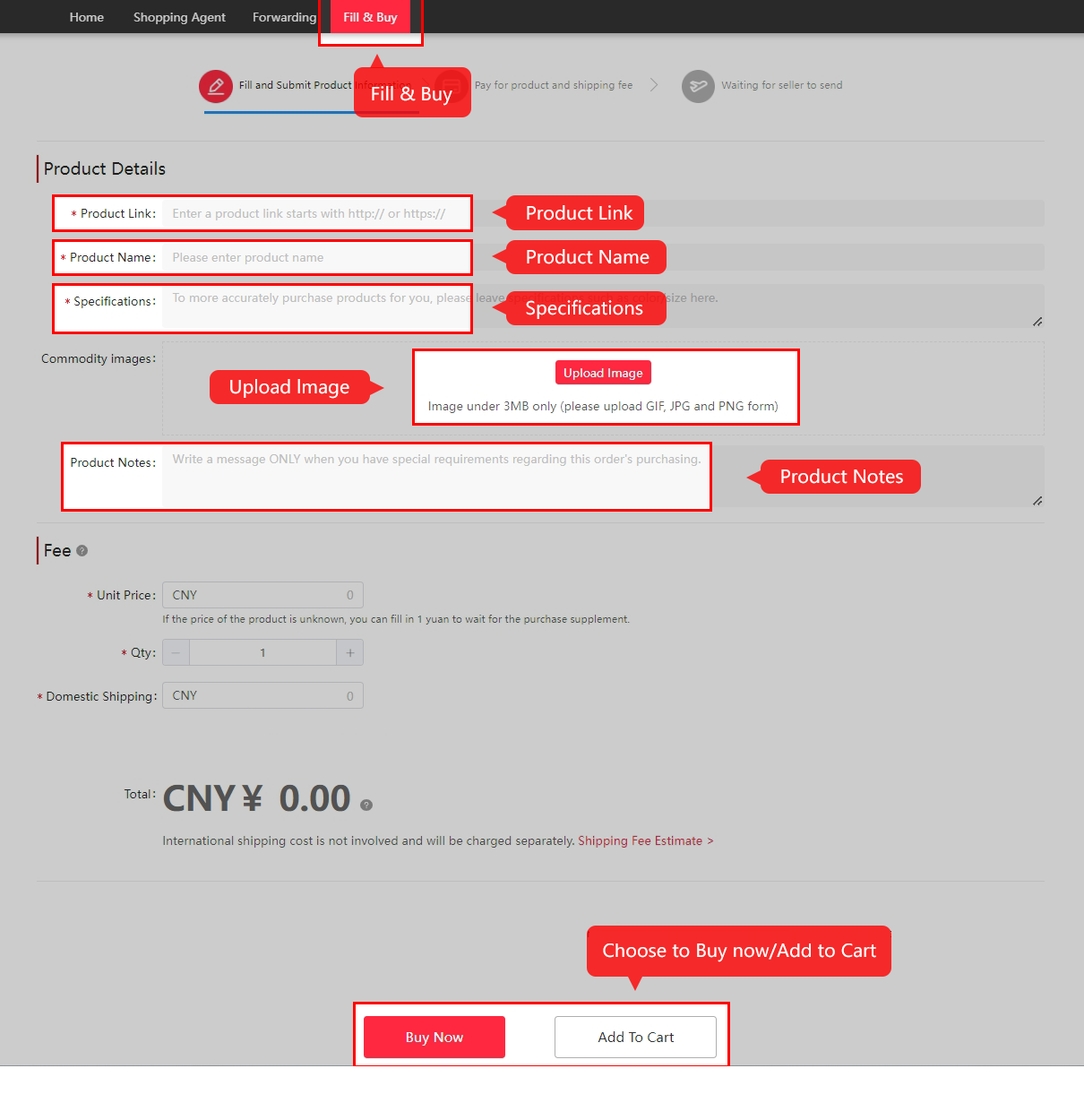
Links that will not load: the Fill & Buy form
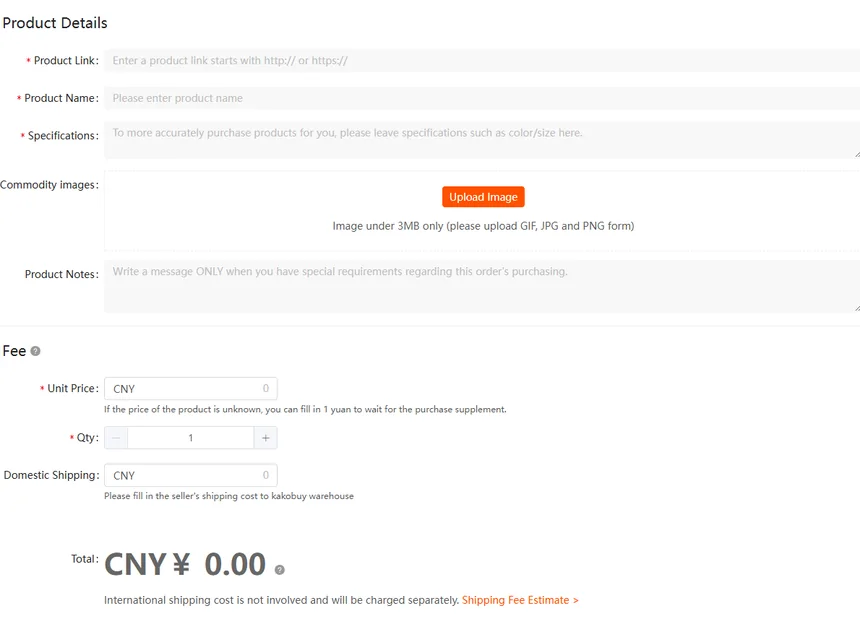
Help 4 says Kakobuy reads Taobao, Tmall, 1688 and JD.com links automatically. Anything else, including Weidian, Xianyu, Xiaohongshu, Bilibili and Yupoo, goes through the Fill & Buy form, where you type the link, name, specification, unit price and the seller’s domestic shipping yourself. If you do not know the price, the form tells you to enter 1 yuan and wait for a top-up request.
The form carries its own terms, stricter than the help centre: Kakobuy can only help locate the seller, cannot verify quality or authenticity, offers no after-sales on these links, and does not allow refunds, cancellations or changes once you pay. Help 115 lists buyer hours for Weidian, Yupoo and Xianyu as Monday to Sunday 9:00 to 18:00, the same as Taobao.
Filed by Kakobuy under Types of services › Shopping Agent Service · help 4, help 115
How to use the search and the question drawer on this index
This index has three tools, all on the first two screens of a page.
- The search box at the top of the home page searches the product catalogue. Type a product, a material or a brand; you get product pages with links you can paste into Kakobuy.
- The category cards open the sixteen categories directly. On the Spreadsheet page each card also carries the help-centre rule most likely to affect that category.
- The question drawer on the help map files 58 buyer questions to Kakobuy’s articles. Filter by stage of the order, by kind of answer (one, two, not written, off the menu) or by a word. Each card links to the official article and to the page here that explains it.
For freight, use Kakobuy’s own shipping estimator rather than any figure printed on a third-party page: it is public, needs no account, and lists every line with its weight rules. For photo search, Kakobuy’s home search bar has an image-search button.