The Kakobuy help centre, mapped
Six parents, 22 leaves, 78 listed articles and 4 more off the menu. Here is where each answer is kept, and a drawer to find it by question.
The official filing tree, leaf by leaf
Kakobuy’s help centre has one menu, called Daily Questions, with six parents: Types of services, After-Sale Service, Account Assets, Value-added service, Distribution and Usernotices. Under them sit 22 leaf categories. Click a leaf and you get a list of article titles; click a title and you get the article. There is no third level, no tags and no “related articles” box.
The weight is lopsided. Shopping Agent Service alone holds 22 of the 78 listed articles, including storage, cancellation, inspection, the anti-counterfeiting policy and the Chinese keyword list. Five leaves hold a single article each.
| Parent | Leaf category | Articles |
|---|---|---|
| Types of services | Shopping Agent Service | 22 |
| International transit | 9 | |
| After-Sale Service | Tracking | 3 |
| Abnormal products | 2 | |
| Customs Inspection | 1 | |
| Return service | 1 | |
| Noticeofafter-salesservice | 1 | |
| Insurance Policy and Compensation Rules | 2 | |
| Account Assets | Registration | 2 |
| Payment Methods | 9 | |
| Member Privilege | 0 | |
| Rules of bonus point | 1 | |
| Value-added service | About Order Value-Added Services | 2 |
| About Parcel Value-Added Services | 5 | |
| Distribution | Submit Parcel | 5 |
| Shipping Restrictions | 2 | |
| Courier fee | 3 | |
| Customs clearance and taxes | 5 | |
| Usernotices | Storage time | 0 |
| User registration protocol | 1 | |
| Privacy Policy | 1 | |
| Risks and tips | 1 |
Filed by Kakobuy under Daily Questions (all six parents)
Question drawer: find the article by what you want to know
Based on the 10 October 2026 help snapshot: 58 questions, written the way buyers ask them, each filed to the Kakobuy article that answers it. Pick a stage of the order, pick a kind of answer, or type a word. The filters combine; press a pressed button again to release it. Every card shows the official article number, so you can open Kakobuy’s own wording in one tap.
Showing all 58 questions.
- Q 01 · Before you pay
Which shops can Kakobuy buy from?
One answerTaobao, Tmall, 1688 and JD.com links are read automatically. Anything else goes through the manual Fill & Buy form.
- Q 02 · Before you pay
Can I order from Weidian, Xianyu or Yupoo?
One answerYes, by the manual form. Help 115 even lists buyer hours for those three platforms, while the form itself warns there is no after-sales and no cancellation once paid.
- Q 03 · Before you pay
Is there an agent service fee?
Off the menuNo agent fee. The clearest statement (help 63) is not in the menu; you reach it from the footer link "Services & Fees".
- Q 04 · Before you pay
What do the different ¥8 fee references mean?
Two answersThree articles give three names for it: customs declaration cost, packaging consumables fee, packing fee. None says whether they are one charge.
- Q 05 · Before you pay
How much does paying by PayPal add?
Two answersHelp 64 and 99: 3.5% + US$0.30. Help 65: 2.9% + US$0.30. An older checkout image has a different example formula; it is not a third current fee. Confirm the actual checkout charge.
- Q 06 · Before you pay
Which exchange rate is used?
Off the menuBoth payment articles say the rate follows the latest Bank of China figure and is adjusted from time to time. No margin is printed.
- Q 07 · Before you pay
Can I pay by bank transfer?
Not writtenHelp 99 lists bank transfer, but every account field in it reads "wait".
- Q 08 · Before you pay
How do I search for things in Chinese?
One answerHelp 88 is a keyword list for women's clothing, shoes, bags, jewellery and accessories. It stops there.
- Q 09 · Before you pay
What are the 1688 minimum quantities?
One answerAn order under the seller's minimum is invalid and has to be placed again. Kakobuy counts boxes, not the pieces inside them.
- Q 10 · Before you pay
Can I buy branded copies?
One answerNo. Help 125 prohibits buying counterfeit goods; the stated consequences are account suspension and disposal at the buyer's expense.
- Q 11 · Before you pay
How old is Kakobuy?
Not writtenNo article says. The oldest help articles carry a creation date of 30 June 2020; the site footer reads 2022-2026.
no article Explained on this site
- Q 12 · Before you pay
Which company runs Kakobuy?
Not writtenThe help centre never says. The About and Contact pages name EVERYDAY GO INC (Denver) and ANXIN SHOPPING CO., LTD (England, company number 16947583).
no article Explained on this site
- Q 13 · Waiting on the seller
What do the order statuses mean?
One answerPending payment, Paid, Purchased, Shipped, Has been stored, Available for shipment.
- Q 14 · Waiting on the seller
How fast do sellers ship?
One answerThe article gives seller-dependent examples: Taobao 3–7 days; JD self-operated same day, other JD sellers 3–5 days. These are not dispatch guarantees.
- Q 15 · Waiting on the seller
How long until it reaches the warehouse?
One answerAbout 1 working day from the Pearl River Delta, about 3 from the Yangtze River Delta, about 7 from anywhere else.
- Q 16 · Waiting on the seller
Why am I asked to pay a shortfall?
One answerThe seller changed the price, or several items from one seller went over the domestic shipping weight.
- Q 17 · Waiting on the seller
Why is it out of stock when the shop shows stock?
One answerSellers do not update their listings; Kakobuy re-checks with the seller and the seller's real stock decides.
- Q 18 · Waiting on the seller
Can I change my order after paying?
One answerOnly before the seller ships. After that, an exchange waits until the item reaches the warehouse and you pay the return leg.
- Q 19 · Waiting on the seller
Can I cancel an order?
One answerFour steps, each by status: Paid, Processing, Mailed, Warehouse. Refunds go to your Kakobuy balance.
- Q 20 · Waiting on the seller
Can the purchase go faster?
One answerPriority Purchase: 5 yuan per OG order, handled within 4 hours of buyer working time.
- Q 21 · Waiting on the seller
How long does the whole purchase take?
Two answersHelp 47 advertises 7 days; help 40 describes 6–15 working days. Neither guarantees the time for your seller, variant or shipment.
- Q 22 · Waiting on the seller
Is the seller's free gift included?
One answerGifts are packed with your order, but they are only inspected and covered if you wrote them in the order remarks.
- Q 23 · In the warehouse
What does the free inspection check?
One answerAppearance only: model, style, size, colour, large-area damage. Only garments, bags, suitcases and shoes are unwrapped.
- Q 24 · In the warehouse
Do they test electronics?
One answerNo. Accessories and visible damage only; function, authenticity and quality are excluded.
- Q 25 · In the warehouse
How many free QC photos do I get?
Not writtenNot written in any article. Extra photos cost 2 yuan each (help 114); parcel photos are 3 and free (help 118).
no article Explained on this site
- Q 26 · In the warehouse
How do I order extra photos?
One answerPersonalized photograph, 2 yuan per photo, delivered by internal message within 24 hours. Put the OG number in the remarks.
- Q 27 · In the warehouse
Where do I find my QC photos?
Not writtenNo help article covers it. The tutorial page shows User Center, then Warehouse, then the QC Picture thumbnails.
no article Explained on this site
- Q 28 · In the warehouse
How long is storage free?
Two answers100 days. Help 1 starts the clock at "in storage"; help 120 starts it at "Ready for Shipping".
- Q 29 · In the warehouse
What does extending storage cost?
Two answers10 yuan per OG order per 30 days. The worked example in the same article still says one unit adds 100 days.
- Q 30 · In the warehouse
What happens when storage runs out?
Two answersHelp 1 warns of disposal; help 120 describes a cooling-off process. Do not treat it as guaranteed extra storage or guaranteed recovery. Resolve the actual item status before expiry.
- Q 31 · In the warehouse
Can I send an item back to the seller?
Two answersHelp 51: within 5 days (120 hours) of Stocked in. Help 87: exchanges within 14 days of the Warehouse status.
- Q 32 · In the warehouse
What does a return cost?
Off the menuThe dated policy waives the service fee for the first eligible monthly return or exchange, excluding Prime members. Return freight and other eligible costs can remain; later service fees are tiered.
- Q 33 · In the warehouse
What is a Prime member?
Not writtenHelp 51 mentions Prime members. The Member Privilege category that should explain them has no articles.
- Q 34 · In the warehouse
Who pays if it is lost in the warehouse?
One answerThe dated policy describes eligible purchased-goods compensation at original price and forwarded goods with purchase evidence, capped at ¥5,000 per transfer order. Claim conditions apply.
- Q 35 · Shipping and customs
How soon does my parcel leave?
One answerHelp 106 describes dispatch within 24 hours and carrier pickup within 2 working days, excluding weekends. Check the actual parcel status; these are dated service windows.
- Q 36 · Shipping and customs
Why did the shipping fee change after packing?
One answerFreight is first charged on the item weight. Packing finishes within 24 hours; the difference is refunded or taken from your balance.
- Q 37 · Shipping and customs
How is volume weight calculated?
One answerLength x width x height in cm, divided by 5000, 6000, 7000 or 8000 depending on the carrier. The larger weight is charged.
- Q 38 · Shipping and customs
Does combining items save money?
One answerThe worked example: three EMS parcels to the US at 822 yuan, the same items in one parcel at 549 yuan.
- Q 39 · Shipping and customs
Can I learn the packed weight before paying?
One answerPre-packaged: 18 yuan each time, weight sent within 24 hours.
- Q 40 · Shipping and customs
Is there a maximum parcel weight?
Not writtenNo overall limit is published. Over 10 kg is more likely to be treated as commercial; line limits appear only in the estimator.
- Q 41 · Shipping and customs
What value goes on the declaration?
One answerKakobuy declares by actual value with the country thresholds in mind; you may add a note. The route table is an image from 2022.
- Q 42 · Shipping and customs
What are the customs thresholds?
Two answersHelp 69 still lists the EU at 22 euros. Help 110 says that exemption ended on 1 July 2021.
- Q 43 · Shipping and customs
Do I need a tax number?
One answerFor Chile (RUT) and Brazil (CPF or CNPJ). Without it, the parcel may not ship or may come back.
- Q 44 · Shipping and customs
What does Kako Insurance cover?
One answerEligible delay, customs and loss or damage claims, subject to the selected route’s exclusions and evidence. The dated delay example is 20% of freight after a 30- or 40-day threshold.
- Q 45 · Shipping and customs
Without insurance, who pays for a lost parcel?
One answerNot Kakobuy. It assists with the carrier claim; customs seizure, wrong address and fragile breakage are excluded.
- Q 46 · Shipping and customs
How do I track my parcel?
One answerMember center, My Parcel, Logistics Details. The article warns updates lag.
- Q 47 · Shipping and customs
Why was my parcel sent back?
One answerFour reasons: too big for the line, carrier refusal, address or customs trouble on the way, no working phone number.
- Q 48 · After delivery
What should I check when the courier arrives?
One answerOuter box, seal, and any obvious weight difference, in front of the courier and before you sign.
- Q 49 · After delivery
How long do I have to report damage?
Two answersTwo channels have stated windows: 2 days to the post office and 72 hours to Kakobuy support. Different conditions may apply; preserve evidence and report promptly.
- Q 50 · After delivery
Who pays when a fragile item breaks?
One answerYou do, if the carrier classes it as fragile. Reinforcement is 10 yuan per item.
- Q 51 · After delivery
How do I open an after-sales case?
One answerContact support with the parcel waybill number and the exact problem. That is the whole article.
- Q 52 · After delivery
Where are the "Return/Exchange Principles and Procedures"?
Not writtenHelp 40 tells you to read them. No article with that name exists in the help centre.
- Q 53 · Forwarding your own parcels
What is the forwarding address?
One answerBehind login, under Warehouse Address. Help 82, 52 and 95 name the city: Xiamen.
- Q 54 · Forwarding your own parcels
My parcel arrived before I filled in the form
One answerStored as a special case and destroyed after 60 days. Unclaimed parcels are matched daily at 09:00 and 15:00.
- Q 55 · Forwarding your own parcels
What does forwarding cost?
One answerInternational freight, an 8-yuan packing fee and any extras you tick.
- Q 56 · Account and money
How do I get my balance refunded?
One answerTo the original payment method, fees on you, no earlier than 2 days after the top-up. Remittances need card and ID checks.
- Q 57 · Account and money
How fast does a top-up arrive?
Off the menuPayPal mostly at once; Alipay and WeChat within 1 to 60 minutes.
- Q 58 · Account and money
How do bonus points work?
One answerThe only article in that category is a guide to writing posts and videos that earn more.
Category names written from the inside
Several labels describe Kakobuy’s org chart rather than the buyer’s problem. “Distribution” is shipping. “Usernotices” is the legal small print. “Noticeofafter-salesservice” is printed as one word, and the single article inside it is one sentence: contact support with your waybill number and the exact problem.
| Official label | What you will find there |
|---|---|
| Types of services | How buying and forwarding work, fees, statuses, storage, returns |
| Distribution | Sending the parcel abroad: packing, weight, restrictions, customs |
| Usernotices | Terms of use, privacy, and one risk warning |
| Noticeofafter-salesservice | How to open a complaint (one sentence long) |
| Courier fee | How international freight is weighed |
| About Parcel Value-Added Services | Paid extras at packing time, and the storage extension |
| Rules of bonus point | A guide to writing posts that earn rewards |
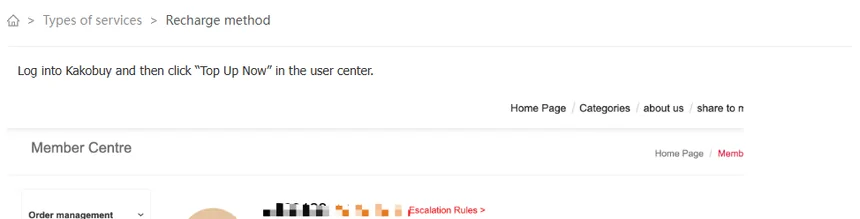
The breadcrumb at the top of each article repeats the label, so a fee article reads “Types of services > Recharge method” even though nothing about it is a type of service.
Four articles you only reach from the footer
Help 51 (returns), 63 (what the service charges), 64 (recharge methods) and 65 (PayPal) do not appear in any leaf list. Their breadcrumbs say “Types of services”, but open that parent and they are not there. The way in is the dark footer at the bottom of every Kakobuy page: “Services & Fees”, “Returns and Refunds”, “Recharge method” and “Paypal”.
These four hold some of the most-used rules on the site: the first free return each month, the return fee steps, the statement that there is no agent fee, and the two conflicting published PayPal percentages. Searching the help centre for “return” will not reliably surface them, because search covers the menu articles.

In the drawer above, these show up with the purple “Off the menu” label.
Two empty drawers: Member Privilege and Storage time
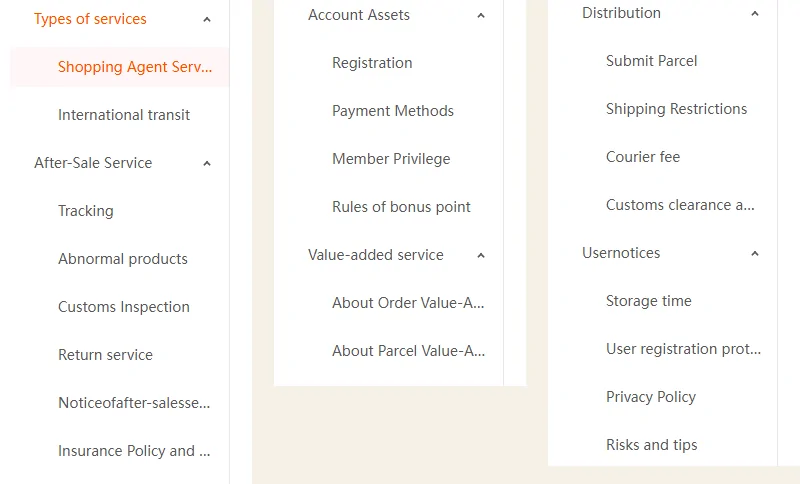
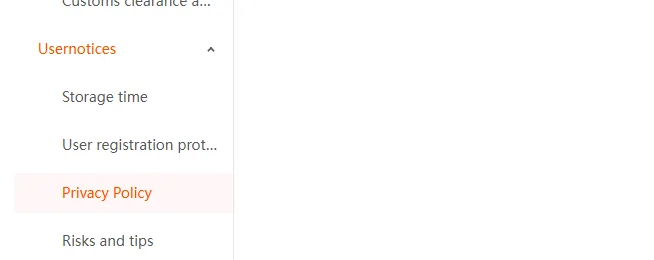
Two leaves contain no articles at all. Storage time (under Usernotices) is empty, while the storage rule itself sits in help 1 under Shopping Agent Service and the paid extension sits in help 120 under About Parcel Value-Added Services.
Member Privilege (under Account Assets) is also empty. That matters because help 51, the returns article, exempts “Prime members” from the free first return each calendar month. Nowhere in the help centre says what a Prime member is, what it costs, or how you become one.
When a leaf is empty, the article list simply shows nothing. There is no “see help 1” pointer.
Filed by Kakobuy under Usernotices › Storage time; Account Assets › Member Privilege
How old the answers are
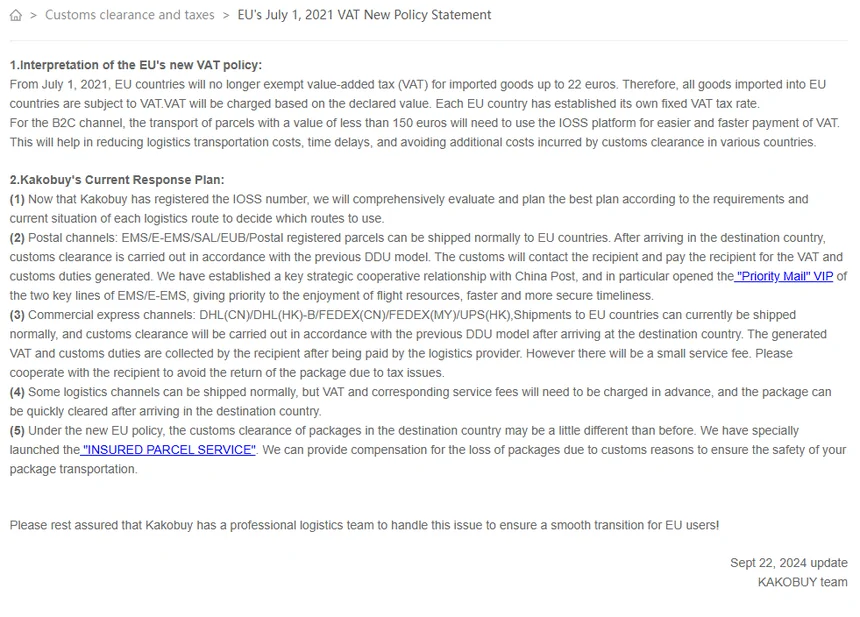
The live site prints no dates on articles. The creation dates come from the help-centre feed as read on 17 June 2026: 2020: 23, 2022: 50, 2023: 3, 2024: 1, 2025: 1. Most of what you read was written on two days, 30 June 2020 and 12 July 2022.
Age shows in the text. Help 110 is titled “EU’s July 1, 2021 VAT New Policy Statement” and ends with “Sept 22, 2024 update”; the EU then changed its rules again from 1 July 2026, which Kakobuy announced in a separate notice, not in the help centre. Help 69 still prints the pre-2021 EU threshold of 22 euros, and calls its own table “collected from the Internet data, only for your reference”.
Between 17 June and 10 October 2026, four articles changed: 104 (minor wording), 120 (storage price), 121 (Wise guide, longer) and 126 (tax numbers, minor wording).
Filed by Kakobuy under Distribution › Customs clearance and taxes · help 110, help 69