
Kakobuy inspection and QC photos
Five articles describe the warehouse check. Read together, they tell you exactly where the free inspection stops and the paid photo starts.
What the free inspection checks
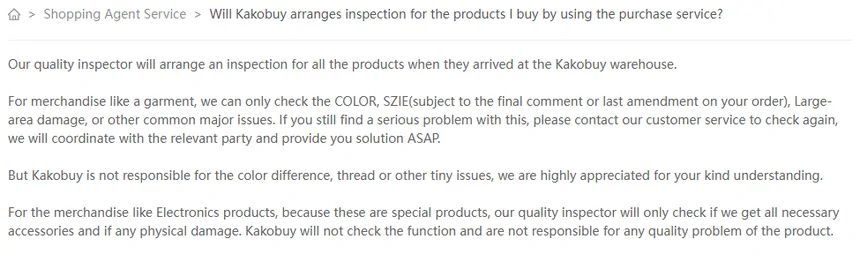
Inspection is free (help 79 lists “Free inspection & consolidation fee” among Kakobuy’s features). Help 76 says every product is inspected when it reaches the warehouse. For garments, the inspector checks colour, size (against the final remark or last amendment on your order), large-area damage and “other common major issues”.
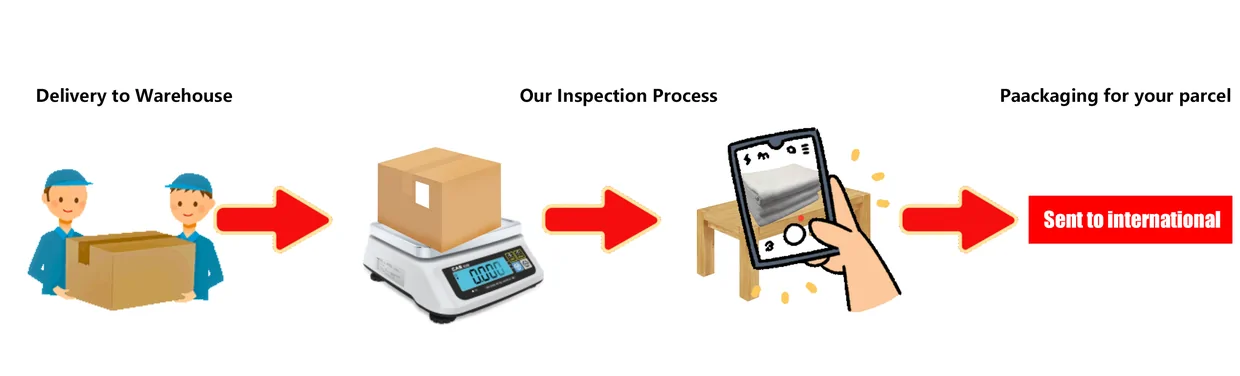
Help 89 narrows it: inspection covers appearance only (model, style, size), and only garments, bags, suitcases and shoes are unwrapped. Forwarded goods get a similar check of quantity, colour and size, after which the original packaging is removed and items go into a new ziplock bag, unless they are fragile or oversized (help 95).
That last detail surprises people: unless you ask, shoe boxes and retail packaging may be gone by the time the parcel ships. Write “keep original box” in the remarks if the box matters to you.
Filed by Kakobuy under Types of services › Shopping Agent Service · help 76, help 89, help 95
What it never checks
Four exclusions repeat across help 48, 52, 76, 89 and 95. Read together, they are the edge of what inspection can promise:
- Function. Electronics are checked for accessories and visible damage; Kakobuy “will not check the function” (help 76).
- Authenticity and quality. Excluded for appliances, digital products and other electronics (help 89), and for brand items, tickets and cards (help 48).
- Small differences. Colour difference, thread and “other tiny issues” (help 76); size measurement error and actual usage (help 52, 95).
- Sealed goods. Anything sealed or with a sealing strip is checked from the outside; CDs and garage kits likewise (help 52).
If a problem slips through, help 76 tells you to contact support and ask for a second check. There is no stated deadline for that request, but the 120-hour return window in help 51 is running from the moment the item is stocked in.
Photos: free, paid, and the number nobody wrote down
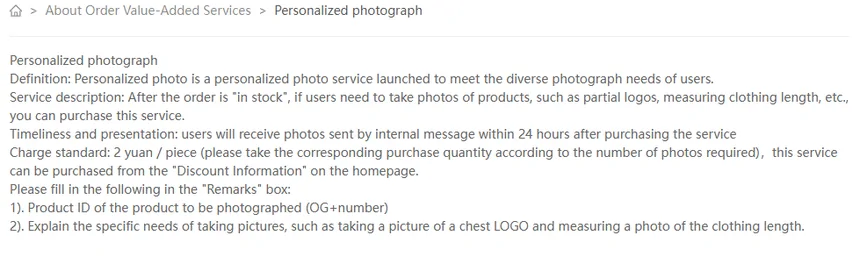
The help centre prices photos you ask for, but it never says how many come free. Personalized photograph (help 114) costs 2 yuan per photo, arrives by internal message within 24 hours, and is ordered by putting the OG number and the exact request (“chest logo”, “measure the length”) in the remarks. Parcel photo (help 118) is free and gives three photos of the packed parcel, but only if you tick it when you submit.
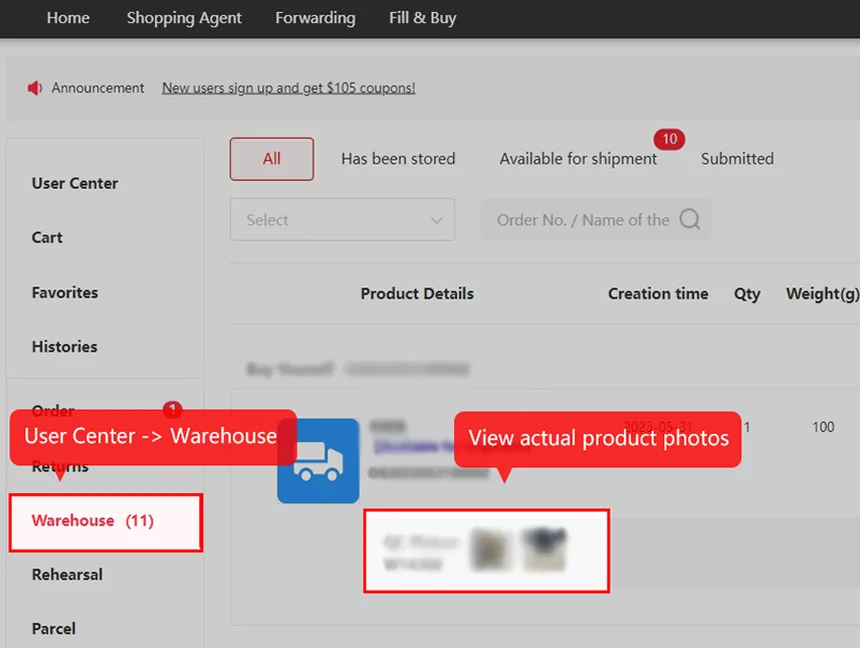
The number of standard inspection photos per item does not appear in any article. Kakobuy’s tutorial image shows a few “QC Picture” thumbnails per stored item, which is consistent with what buyers report, but no figure is promised. If you need a particular angle, pay the 2 yuan rather than hope it is among the free ones.
Filed by Kakobuy under Value-added service › About Order Value-Added Services · help 114, help 118
How to check QC photos before you ship
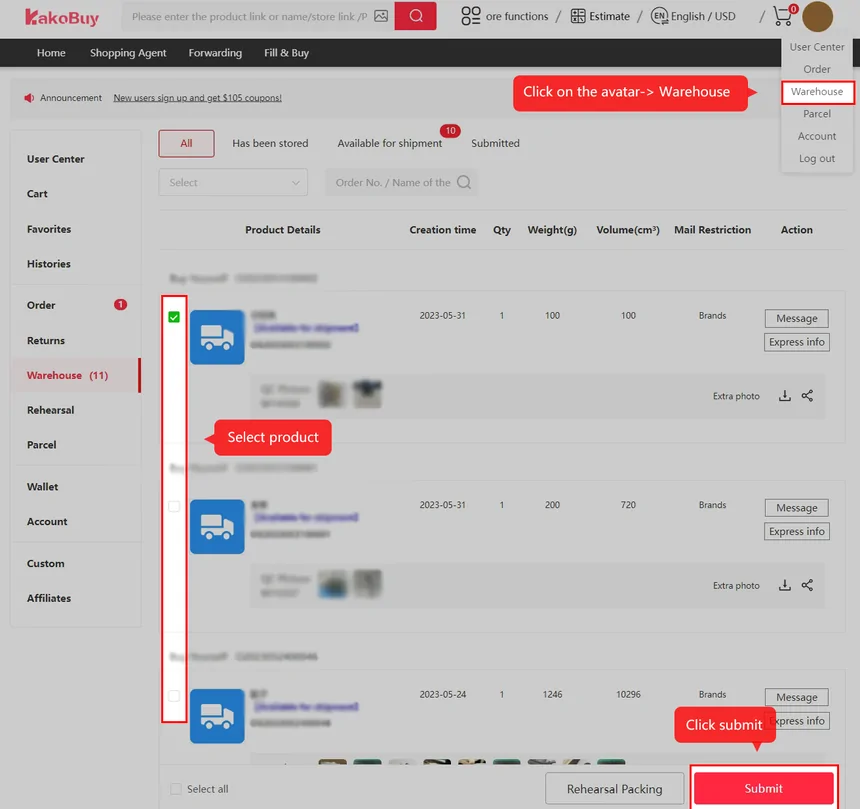
The photos sit in User Center, then Warehouse, next to each stored item (Kakobuy’s tutorial image 10 shows the path; no help article does). Work through them in this order:
- Match the order. Size label, colour and model against the size you wrote in the remarks, since that is what the inspector checked against (help 76).
- Look for large-area damage and stains: that is inside the free check, so if you see it, ask for the second check.
- Check what is not checked. A close-up can clarify a visible detail, but cannot extend the inspection to function, authenticity or unseen sealed contents. Ask for a view only if it can answer the actual question.
- Check the extras. Seller gifts appear only if you remarked them (help 77).
- Decide inside 120 hours of Stocked in if anything should go back to the seller (help 51).
Filed by Kakobuy under No help article: tutorial page only
After the photos: choosing what ships together
Once items show as available, you pick which ones go into a parcel. Kakobuy’s warehouse list shows each item’s creation date, weight in grams, volume in cubic centimetres and a “Mail Restriction” field; the buttons at the bottom are Select all, Rehearsal Packing and Submit. Rehearsal Packing is the screen name for Pre-packaged in help 117: 18 yuan to get the packed weight before you pay freight.
Help 22 explains why some items refuse to go together: mailing restrictions block them at submission. Help 21 adds the customs side: over 10 kg, or many identical items, and a parcel is more likely to be treated as commercial.
Filed by Kakobuy under Value-added service › About Parcel Value-Added Services · help 117, help 22, help 21
Seller gifts, and why they are not inspected by default
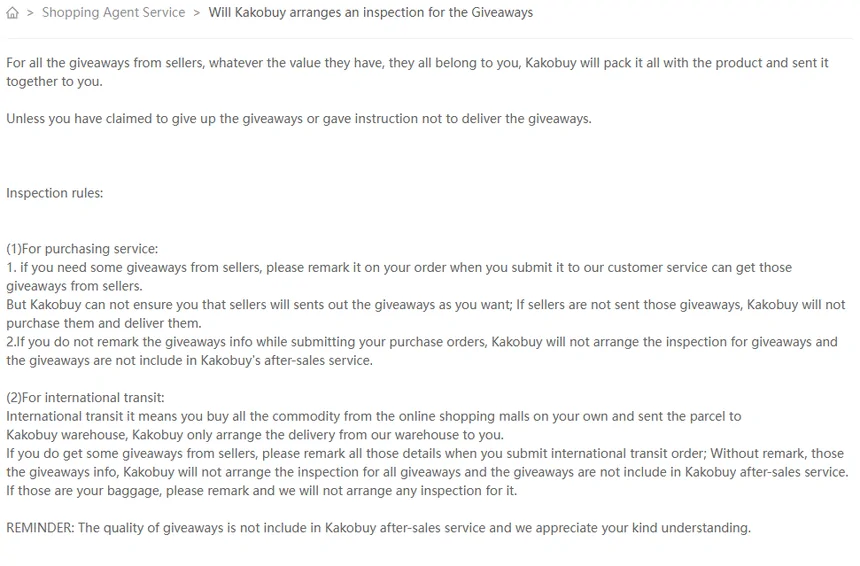
Help 77 says every seller gift belongs to you and is packed with your order, whatever its value, unless you decline it. Without gift details in the order remarks, the article excludes inspection and after-sales for the gift. Its final reminder separately excludes gift quality from after-sales; writing a remark does not remove that exclusion. Kakobuy will not chase a gift the seller forgot.
The same rule applies to forwarding: list any gifts in the transit order, and mark personal belongings so they are not inspected at all. A specific remark (“seller gift: keychain”) records what you expect; confirm any inspection request. It does not guarantee that the seller supplies the gift or that its quality is covered.
Filed by Kakobuy under Types of services › Shopping Agent Service · help 77
Is the missing accessory purchased content or a free gift?
Check the selected listing variant and saved order before requesting a remedy. If an accessory is part of the paid set, show the wording that includes it and identify what is missing in the warehouse photos. If it is a separate seller giveaway, identify the original gift remark and use the limits in help 77; the two situations should not be described as the same shortage.
Ask for a count or label view if it would settle the question. Keep the disputed item out of parcel submission while you request clarification, and track its return deadline separately. Photographing a sealed box can document its condition, but cannot confirm every object inside it.